

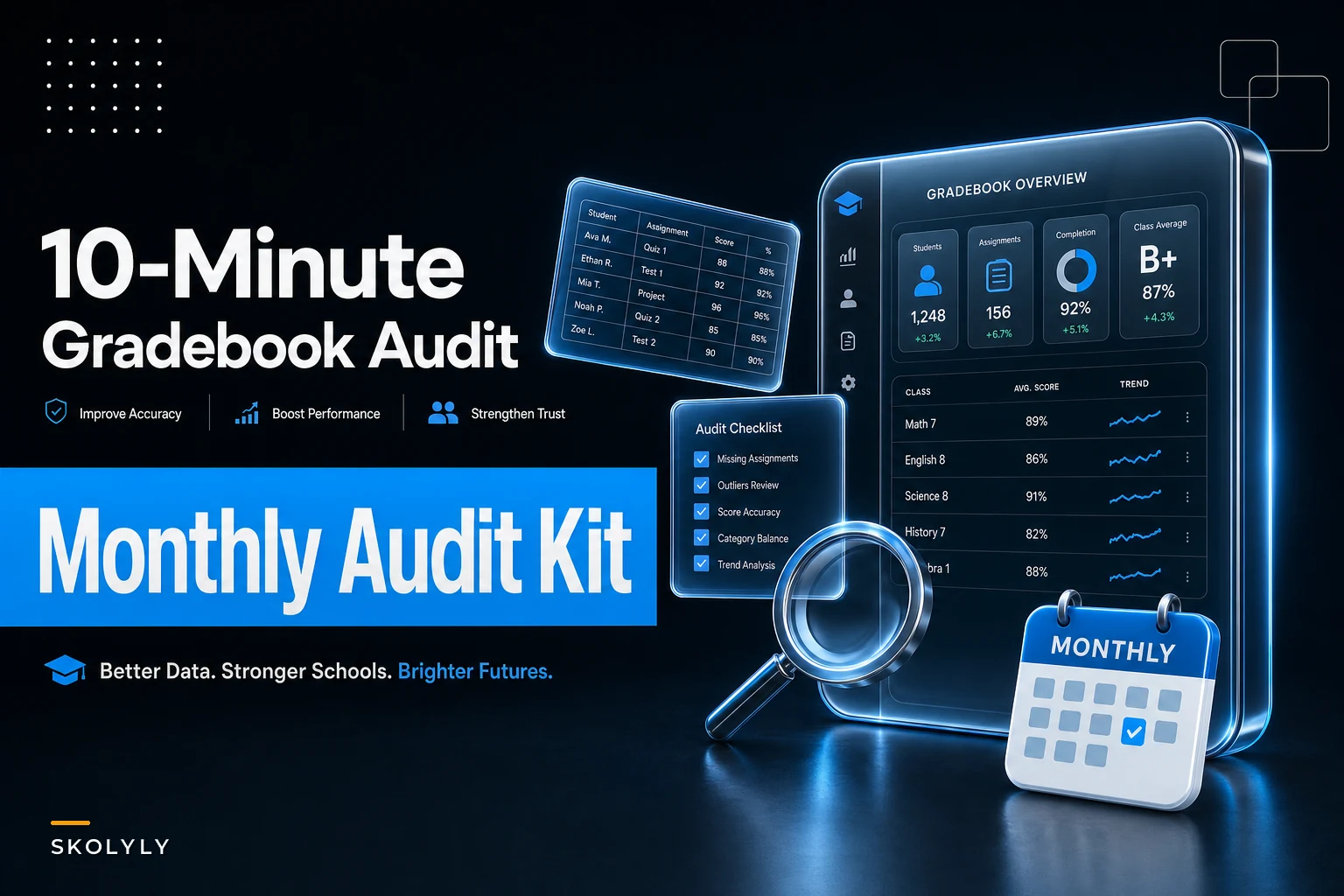

Most report-card errors don't come from teachers being careless. They come from a gradebook that drifts quietly all quarter — a weight category that got nudged during a unit, an assignment that three students never got entered, a 0 that should have been an "excused." None of these feel urgent in week 4. By report-card week, they're a parent email, a principal cc'd, and a grade change form.
The fix isn't grading less or spot-checking more. It's a tight, repeatable reconciliation pass you run once a month that catches the same three failure modes every time: outliers, missing assignments, and weight mismatches. Done right, it takes about ten minutes per section once you've set it up. Below is the actual routine — what to query, what the numbers should look like, and the decision rules for when to fix versus when to leave it alone.
This is a close cousin to the problems that show up in cross-class grading, where two teachers scoring the same assessment drift apart. If that's your bigger concern, the time-boxed moderation protocol for cross-class common-assessment grading tackles consistency between graders. This routine is about catching errors within a single gradebook before they reach a report card.
Why gradebooks drift (and why three errors cause most disputes)
A gradebook is a live document being edited by a tired human across 18 weeks. Drift is baked in. But if you look at where grade-change requests and report-card corrections actually originate, they cluster into three categories almost every time:
-
Outliers — a single score that's wildly out of line with the student's pattern (a 12% on a quiz where they usually score in the 80s, usually a data-entry slip or a make-up that never got updated).
-
Missing assignments — blanks that the gradebook is silently treating as either "not counted" or "zero," and the teacher isn't sure which.
-
Weight mismatches — category weights that don't add to 100%, or a category that's holding more assignments than it was designed for, quietly inflating or deflating the final number.
What people miss: these three errors are detectable with simple queries. You don't need to re-read every grade. You need to ask the gradebook four or five pointed questions and let the anomalies surface. That's what makes a 10-minute routine possible — you're auditing the shape of the data, not re-grading the work.
The monthly 10-minute checklist
Run this once a month, plus one final pass the week before grades close. For a teacher with five sections, budget roughly 45–50 minutes total. For a single section, about ten.
Keep every student on track with ease.
Skolyly helps you create, assign, and monitor classroom activities efficiently.
- Integrated lesson and assignment management
- Real-time student progress tracking
- Automated class scheduling & notifications
No credit card required
-
- [ ] Confirm category weights sum to 100% (30 seconds)
-
- [ ] Flag any blank cells on graded assignments and decide zero vs. excused vs. incomplete (2–3 min)
-
- [ ] Pull the lowest 3 scores per student and sanity-check against their pattern (3–4 min)
-
- [ ] Check assignment count per category against your course plan (1 min)
-
- [ ] Scan for any grade above 100% or below 0% — rare but it happens with extra-credit math (30 sec)
-
- [ ] Compare current overall average to last month's — a swing of more than ~8 points without a major assessment is worth a look (1 min)
-
- [ ] Confirm every recently entered assignment has a due date and category assigned (1 min)
Run the pass on the same day each month to build the habit.
The checklist is boring on purpose. The value is that it's the same seven questions every month, so you stop relying on memory and start relying on the pass.
Sample queries and spreadsheet formulas
If your gradebook exports to a spreadsheet — most do — these are the exact checks. Paste these into a working copy, not your live export.
Weight check. Put your category weights in a row (say B2:F2) and run:
``
=SUM(B2:F2)
`
Anything other than 1 (or 100` depending on format) is a mismatch. This is the single most common silent error, and it takes five seconds.
Outlier flag per student. If student scores for one category sit in C2:J2, flag any score more than 2 standard deviations below their mean:
``
=IF(C2 < (AVERAGE($C2:$J2) - 2*STDEV($C2:$J2)), "CHECK", "")
``
This won't be perfect for students with few grades, but it reliably surfaces the "12% on a quiz where they usually get 85%" cases.
Missing-assignment count per student:
``
=COUNTBLANK(C2:J2)
``
Sort descending. The students at the top are where your blanks — and your eventual parent emails — are hiding.
Assignment count per category (does a category have more entries than planned?):
``
=COUNTA(C$1:J$1)
``
| Check | Query / Formula | What a healthy result looks like | Red flag |
|---|---|---|---|
| Weights | =SUM(weights) | Exactly 100% | 97%, 103%, or 100% but one category empty |
| Outliers | 2-SD below student mean | Few or no "CHECK" flags | Multiple flags on one student (pattern of entry errors) |
| Blanks | =COUNTBLANK() | Blanks only on not-yet-due work | Blanks on work graded 2+ weeks ago |
| Category load | =COUNTA() vs. plan | Within 1–2 of planned count | Category 40%+ over plan |
| Overall swing | This month vs. last | Explainable by a known assessment | 8+ point drop with no major test |
Compare against your syllabus plan. A "Homework" category that was supposed to hold 8 items but now holds 14 may be quietly dominating the grade.
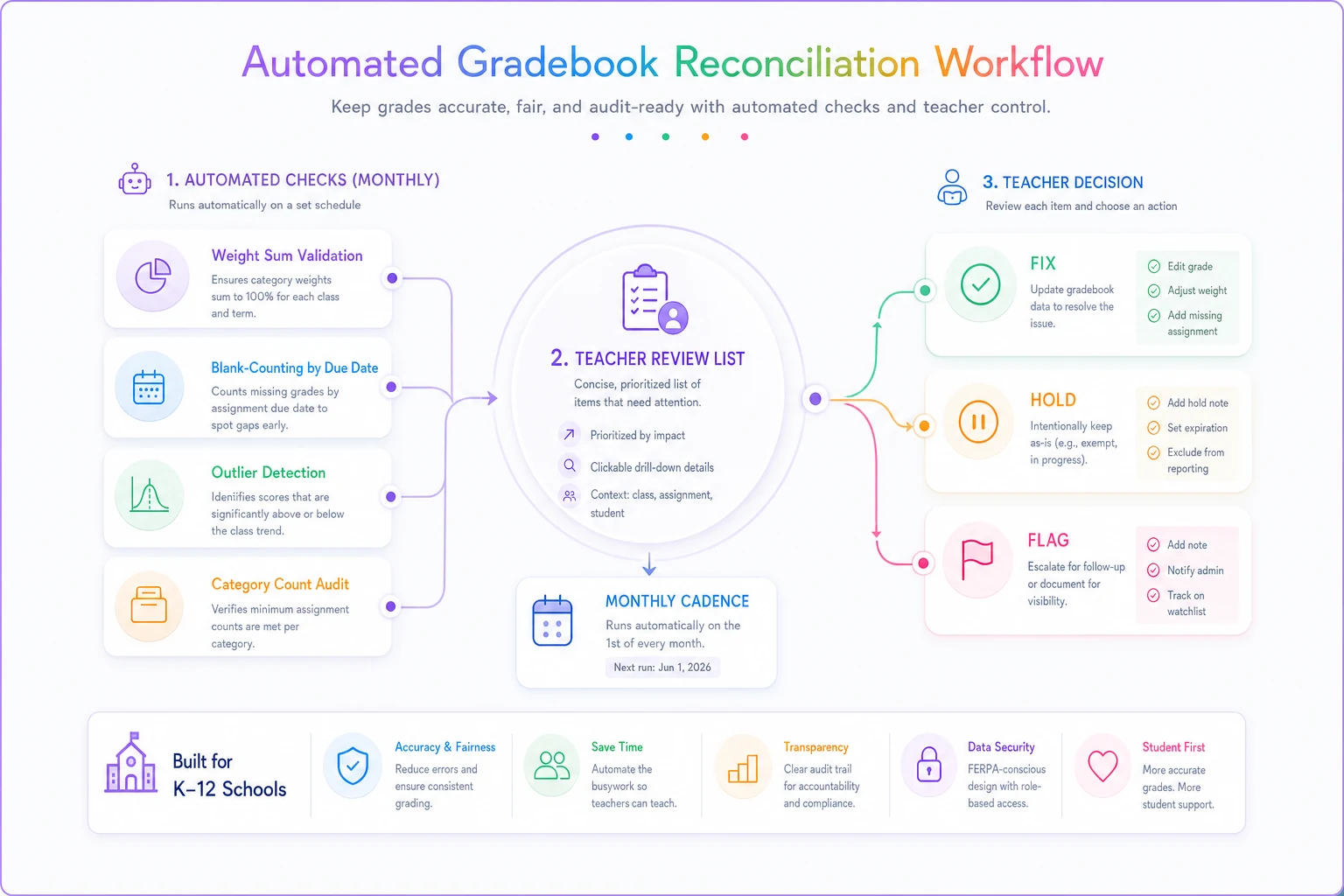
Decision rules: fix, hold, or flag
Finding an anomaly is easy. The slow part is deciding what to do with each one. Teachers lose the ten-minute budget here because they re-investigate every flag from scratch. Pre-decide the rules instead.
-
Outlier that matches a make-up or absence → verify the make-up was entered, update, done. (~1 min)
-
Outlier with no explanation → leave the grade, but add a note and email the student/family a heads-up before report cards, not after. Don't change a grade you can't justify. (~2 min)
-
Blank on a past-due assignment → apply your stated policy (zero vs. incomplete). The rule is consistency, not leniency — whatever your syllabus says, apply it uniformly. (~30 sec each)
-
Blank on not-yet-due work → ignore. It's supposed to be blank. (0 min)
-
Weight sum ≠ 100% → fix immediately, then re-check two or three students' overall grades to confirm nothing shifted unexpectedly. (~2 min)
-
Category over plan → don't panic-delete. Decide whether the extra assignments belong in a different category or whether the weight needs a conversation with your team. Note it; don't fix mid-quarter without telling anyone. (flag only)
The underlying principle: changes that correct a provable data error are safe to make silently; changes that affect the grade's logic need a note and, ideally, a second set of eyes. That one distinction prevents the awkward "why did my kid's grade drop 4 points overnight" conversation.
A real scenario
A middle-school ELA teacher with four sections — roughly 110 students — ran this routine for the first time in late October, about three weeks before first-quarter report cards. The whole pass took her about 40 minutes across all sections.
What it surfaced:
-
One section had category weights summing to 96% — the "Participation" category had been set to 6% instead of 10% when she copied the gradebook template at the start of the year. Every student in that section had a slightly-off overall grade.
-
Seven students had blanks on a graded essay that she'd collected but only entered for three classes. The blanks were being counted as zeros in two sections and as "not counted" in a third — because of an inconsistent entry habit, not a setting.
-
Two outlier flags turned out to be a transposed score (49 entered as 94) and a legitimate low quiz she'd already planned to let the student retake.
None of these were dramatic on their own. Together, they would have produced at least four grades that didn't reflect the student's actual work — and in a normal year, she'd have found out when the emails came in. Fixing them beforehand turned report-card week from damage control into a non-event. The following quarter she ran the pass monthly and it dropped to around ten minutes per cycle because there was less drift to catch.
When this routine is worth it — and when it isn't
When it makes sense: You teach multiple sections, your gradebook uses weighted categories, or you've had even one grade dispute that traced back to a data-entry or weighting issue. The payoff scales with class count — more sections means more copy-paste template errors and more blanks to track.
When it's overkill: A single small class with points-based (non-weighted) grading and under ~30 assignments. In that setup, the whole gradebook fits on one screen and a quick visual scan does most of this work. Don't build a formula sheet to audit 22 students; just look.
Who should skip the spreadsheet version: Teachers whose gradebook platform already runs anomaly flags and weight validation. If your system warns you when weights don't sum to 100% and highlights outliers, use the native tools and just keep the decision rules — the fix/hold/flag logic is the part that actually protects you, regardless of the tool.
Where software quietly helps
The manual spreadsheet version works, and plenty of teachers never need more than that. But the repetitive parts — recomputing weight sums, flagging blanks on past-due work, catching the 8-point monthly swing — are exactly the kind of checks that an operational platform with light AI automation can run in the background and surface as a short list.
The point isn't to replace the teacher's judgment on what to do with a flag. It's to remove the querying overhead and let the person spend their ten minutes on the three or four anomalies that actually need a decision. A system that watches for weight mismatches, counts blanks against due dates, and nudges you before a report card closes turns a monthly manual pass into a quiet alert — and keeps the decision rules in one place so a substitute or a new team member runs the same checks the same way.
If grading volume is your real bottleneck — projects and essays eating your evenings rather than data errors — that's a different problem with a different fix, and the hybrid workflow to cut grading time while keeping rich feedback is the more useful starting point. Reconciliation is about accuracy, not speed.
The takeaway
Report-card errors almost always trace back to drift that was detectable weeks earlier. You don't catch drift by re-reading grades — you catch it by asking the same handful of questions on a schedule and having pre-made rules for what to do with the answers.
Ten minutes a month, run honestly, is cheaper than one grade-change meeting and a lot cheaper than a parent who stops trusting your gradebook. Set up the formulas once, decide your fix/hold/flag rules now while you're calm, and let the routine do the remembering for you.
Report-card errors almost always trace back to drift that was detectable weeks earlier. You don't catch drift by re-reading grades — you catch it by asking the same handful of questions on a schedule and having pre-made rules for what to do with the answers.
Ten minutes a month, run honestly, is cheaper than one grade-change meeting and a lot cheaper than a parent who stops trusting your gradebook. Set up the formulas once, decide your fix/hold/flag rules now while you're calm, and let the routine do the remembering for you.
Ready to elevate your classroom management?
Join 5,000+ educators using Skolyly to save time, engage students, and improve learning outcomes.