

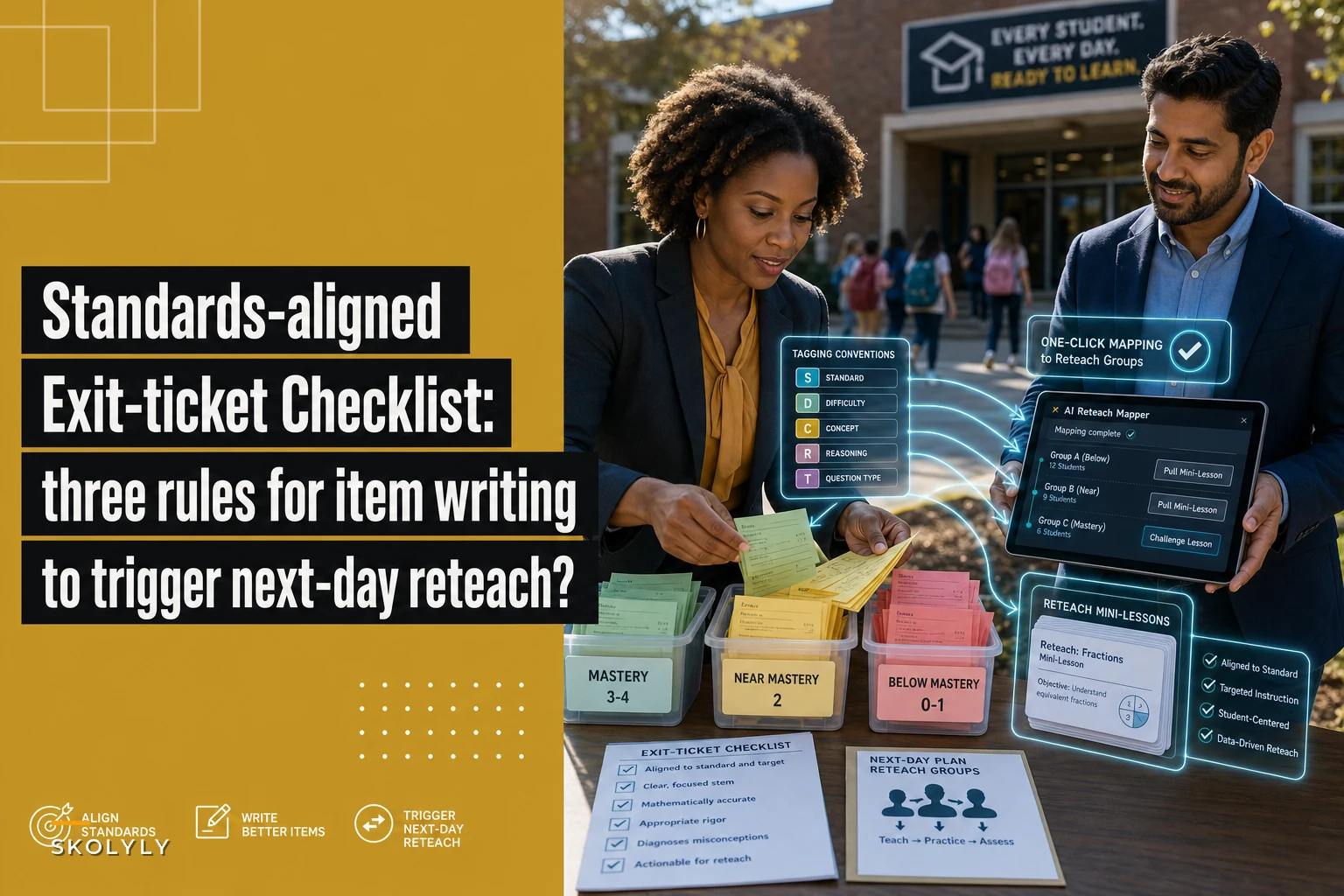

Most exit tickets fail before students ever answer them. The item is written in a way that produces a stack of papers you can't sort into groups. You collect 28 responses, glance at them during your prep period, and end up with a vague sense that "some kids got it and some didn't." That's not diagnostic information. That's a pile.
The problem isn't the exit-ticket format. It's the item itself. If the question doesn't isolate a specific skill, doesn't force a visible mistake, and doesn't map cleanly to a reteach category, then no amount of clever tagging or fancy spreadsheet will save you. You'll spend the next morning re-sorting instead of teaching.
So this is a piece about writing the item. Three rules, a tagging convention, and a one-click mapping to reteach categories so that the exit ticket you collect at 2:45 becomes your small-group plan by 3:15.
Why most exit-ticket items can't be sorted
There's a pattern that shows up constantly. A teacher writes an exit ticket that looks reasonable: "Solve 3/4 + 1/6 and explain your thinking." Feels rigorous. Feels standards-aligned. But when the responses come back, the wrong answers cluster into four different problems — kids who didn't find a common denominator, kids who added denominators, kids who found the LCD but botched the equivalent fractions, and kids who got the arithmetic right but couldn't explain anything.
Now you're stuck. Do you reteach common denominators? Equivalent fractions? Both? The item bundled multiple skills, so a wrong answer tells you almost nothing about which skill broke.
This is the core issue. An exit-ticket item that measures three things at once produces data that maps to zero clear actions. In real classrooms, this usually happens when the item is written to look like the summative assessment instead of being written to sort students into reteach groups. Those are different jobs.
The whole point of an exit ticket item writing checklist is to force the item to do one job well: separate students by the specific misconception you'll reteach.
The three rules
Rule 1: One skill per item, and the skill has to be the thing you'd reteach
Keep every student on track with ease.
Skolyly helps you create, assign, and monitor classroom activities efficiently.
- Integrated lesson and assignment management
- Real-time student progress tracking
- Automated class scheduling & notifications
No credit card required
Not the standard. The reteach skill. Standards are often too broad to reteach in a 12-minute mini-lesson. "Add and subtract fractions with unlike denominators" is a standard. "Find equivalent fractions using the LCD" is a reteach skill. You group and reteach at the skill level, so your item has to target that level.
A quick test: if you can't finish the sentence "Students who miss this item need reteaching on " with a single, specific phrase, the item is measuring too much.
Bad item: "Solve and explain 3/4 + 1/6." Better item: "Rewrite 3/4 and 1/6 as fractions with a denominator of 12." That isolates equivalent fractions with an LCD. If they miss it, you know exactly what to pull them for.
This makes the item smaller. Good. Exit tickets are not the place for integrated problem-solving. They're the place for clean signal.
Rule 2: Wrong answers must be predictable and readable at a glance
The best exit-ticket items are written so the type of wrong answer tells you the misconception. This is the difference between an item you can sort in 90 seconds and one that requires you to read a paragraph of student reasoning per kid.
For selected-response items, this means writing distractors that map to specific errors:
| Item design | What a wrong answer tells you | Sortable? |
|---|---|---|
| Open "explain your thinking" | Could be anything | No |
| "Which step is the first mistake?" (steps A–D shown) | Exactly where reasoning broke | Yes |
| Multiple choice with error-based distractors | Which misconception they hold | Yes |
| Fill-in with one numeric answer | Right/wrong only, no why | Partially |
The "spot the first error" format is underused and worth stealing. You show a worked problem with a mistake embedded, and students identify where it went wrong. A student who can't find the error usually holds that same misconception. It sorts almost instantly.
For short constructed-response items, keep the response so constrained that the mistake is visible in one glance — a single equation, a labeled diagram, one sentence with a specific required element. If you have to interpret the response, the item is too open for exit-ticket triage.
Rule 3: Every item carries a reteach tag before students see it
This is the rule people skip, and it's the one that makes the whole system work. You assign the reteach category when you write the item, not after you grade it. The tag is part of the item's identity.
A tag looks like this: G5.NF.EQUIV-LCD. Grade, strand, specific skill. Short, consistent, and it matches a reteach category you actually teach. When you write three exit-ticket items for the week, each one already knows which small group it feeds.
The reason this matters: sorting after the fact is where all the time goes. If the item is pre-tagged, then a wrong answer on that item automatically means "this student → this reteach group." No interpretation step. You're just moving names into buckets you already defined.
Tagging conventions that don't collapse after two weeks
Teachers abandon tagging systems because they get too elaborate. The tag scheme that survives is boring and short. Here's what holds up in practice.
-
Use a fixed structure
[Grade].[Strand].[SKILL]. Same shape every time so it sorts alphabetically into something sensible. -
Cap skills per strand at what you'd actually reteach. If you have 40 tags for one unit, you don't have a tagging system, you have a second gradebook. Aim for the 5–8 reteach categories that account for most of your unit's mistakes.
-
Reuse tags across items. The same
EQUIV-LCDtag should appear on Monday's item and Thursday's item. That's how you see whether reteaching moved the needle. -
Keep a one-page tag key taped inside your plan book or pinned in your planning doc. If a colleague can't decode your tag in five seconds, it's too clever.
One pattern worth calling out: teams that share a common tag list can pool exit-ticket data across classes without renaming everything. If three fifth-grade teachers all use G5.NF.EQUIV-LCD, a grade-level huddle can look at the combined signal instantly. When everyone invents their own labels, that comparison dies.
One-click mapping: from tagged item to next-day small groups
The mapping only works because Rules 1–3 did their job upstream. Here's how the sequence actually runs — and where each step depends on the one before it.
Write item (single-skill, pre-tagged) ↓ Collect responses → mark right/wrong per item ↓ Wrong answer on item → auto-assigned to reteach tag bucket ↓ Read buckets → clusters become small groups, singletons become check-ins ↓ Pull pre-built mini-lesson attached to that tag
-
Write 2–3 exit-ticket items, each passing the three rules, each pre-tagged with a reteach category.
-
Collect responses and mark them right/wrong per item. Because items are single-skill and readable, this is a fast pass — usually a couple of minutes for a class set.
-
Map wrong answers to tags. A miss on the
EQUIV-LCDitem drops that student into theEQUIV-LCDreteach bucket automatically. No new decision required. -
Read the buckets. Any tag with a cluster of names becomes a next-day small group. A tag with one or two names is an individual check-in, not a group.
-
Pull the pre-built mini-lesson attached to that tag. If you've been tagging consistently, you already have a reteach move for each category.
A quick visual of that mapping workflow:
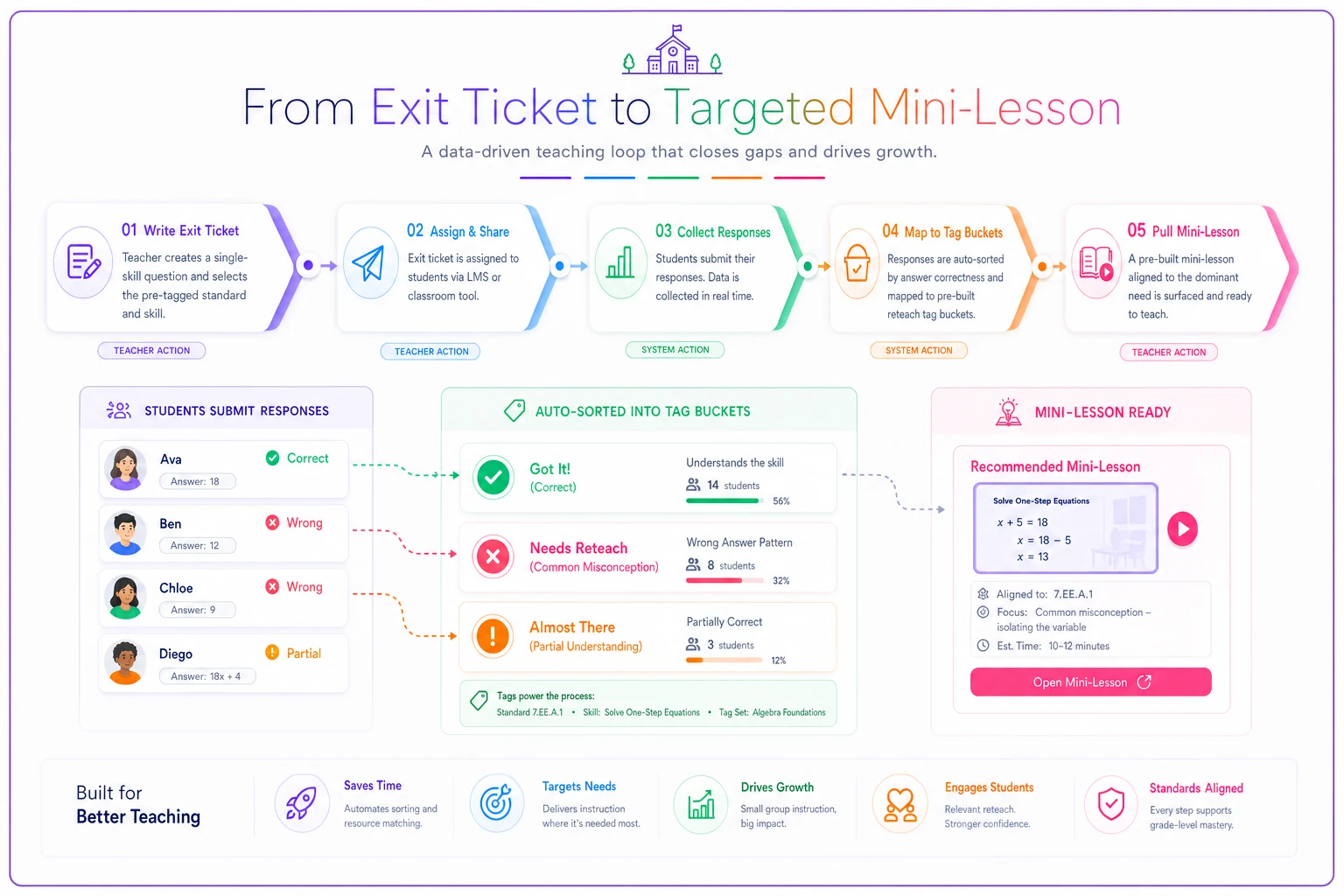
The whole thing runs on the fact that the tag is doing the sorting, and the tag was assigned when the item was written. That's the payoff of doing the work up front.
Where AI-assisted planning tools quietly help
The manual version of this works fine with paper and a highlighter. Where operational software earns its place is in step 3 and step 5 — the mapping and the reteach retrieval.
Once your items are tagged consistently, a planning platform with AI automation can take the tagged responses and auto-assemble the small groups: it drops each student into the correct reteach bucket, flags which tags crossed the "this is a group, not an individual" threshold, and surfaces the mini-lesson you filed under that tag last time. You're not typing names into columns; you're reading a group list that's already built.
That said — the software is only as good as the item design. If your items violate Rule 1 and measure three skills at once, no tool can un-bundle them. The tagging automation removes the clerical time, not the thinking time. Keep that boundary clear so you don't outsource the part that actually requires teacher judgment.
A real scenario
A fifth-grade team teaching a fractions unit was running exit tickets daily but treating them as a completion grade. Each ticket had one open-ended "solve and explain" item. Sorting took the lead teacher around 20 minutes a night, and the resulting groups were basically "high, medium, low" — not skill-specific.
They rewrote their items to the three rules: single-skill, error-readable, pre-tagged. They cut down to about six reteach tags for the whole unit. The daily sort dropped to roughly five minutes because a wrong answer now pointed at a tag instead of requiring interpretation.
The bigger change showed up on the reteach side. Instead of a generic "review fractions" block, they were pulling groups of four to seven students for a specific 10-minute mini-lesson — one group on LCD, one on equivalent fractions, one on comparing. Over the unit, the number of students still missing the EQUIV-LCD item by the end dropped noticeably compared to their previous fractions unit, and the "I have no idea who to pull" feeling was gone. Same exit-ticket format they'd always used. Different item design.
When this is worth it — and when it isn't
Worth being honest about where this system earns its keep and where it doesn't.
This makes sense when:
-
You reteach in small groups and need to know who and what by the next day.
-
You give exit tickets regularly and already feel buried in ungrouped responses.
-
You're on a team that could share a tag list and pool data.
This is overkill when:
-
You give one exit ticket a week as a spot-check, not a sorting tool. The tagging overhead won't pay off.
-
Your reteach model is whole-class only. If you never pull small groups, the mapping has nowhere to go.
Who should skip it entirely: teachers whose exit tickets are genuinely just attendance-plus-a-vibe-check. Don't build a tagging system for data you won't act on. The system only earns its keep if a wrong answer changes what you do tomorrow.
Fast checklist before you print an item
Fast checklist before you print an item
-
- [ ] Does this item measure exactly one reteach skill? (Finish
"Students who miss this need reteaching on ___" with one phrase.)
-
- [ ] Can I read the type of wrong answer at a glance, without interpreting a paragraph?
-
- [ ] Have I assigned the reteach tag already, using the fixed
[Grade].[Strand].[SKILL]shape? -
- [ ] Does that tag match a reteach category I actually have a mini-lesson for?
-
- [ ] Is the item small enough that grading a class set takes minutes, not a prep period?
If all five are checked, the item will sort itself into tomorrow's groups. If any fail, the item is going to generate a pile.
Closing thought
The item is the lever. Everything downstream — the tags, the mapping, the small groups — is just plumbing that carries the signal your item created. Write a bundled, open-ended item and you get noise you have to hand-sort. Write a single-skill, error-readable, pre-tagged item and the sorting mostly happens on its own.
If you want to see how the same diagnostic logic plays out on the math side specifically, the breakdown of how quick math formatives reveal instructional gaps and which item types inform next-day lessons covers item-type choices in more depth. Start there if your struggle is choosing what kind of item to write, then come back to these three rules to sharpen each one before it hits the page.
Ready to elevate your classroom management?
Join 5,000+ educators using Skolyly to save time, engage students, and improve learning outcomes.