

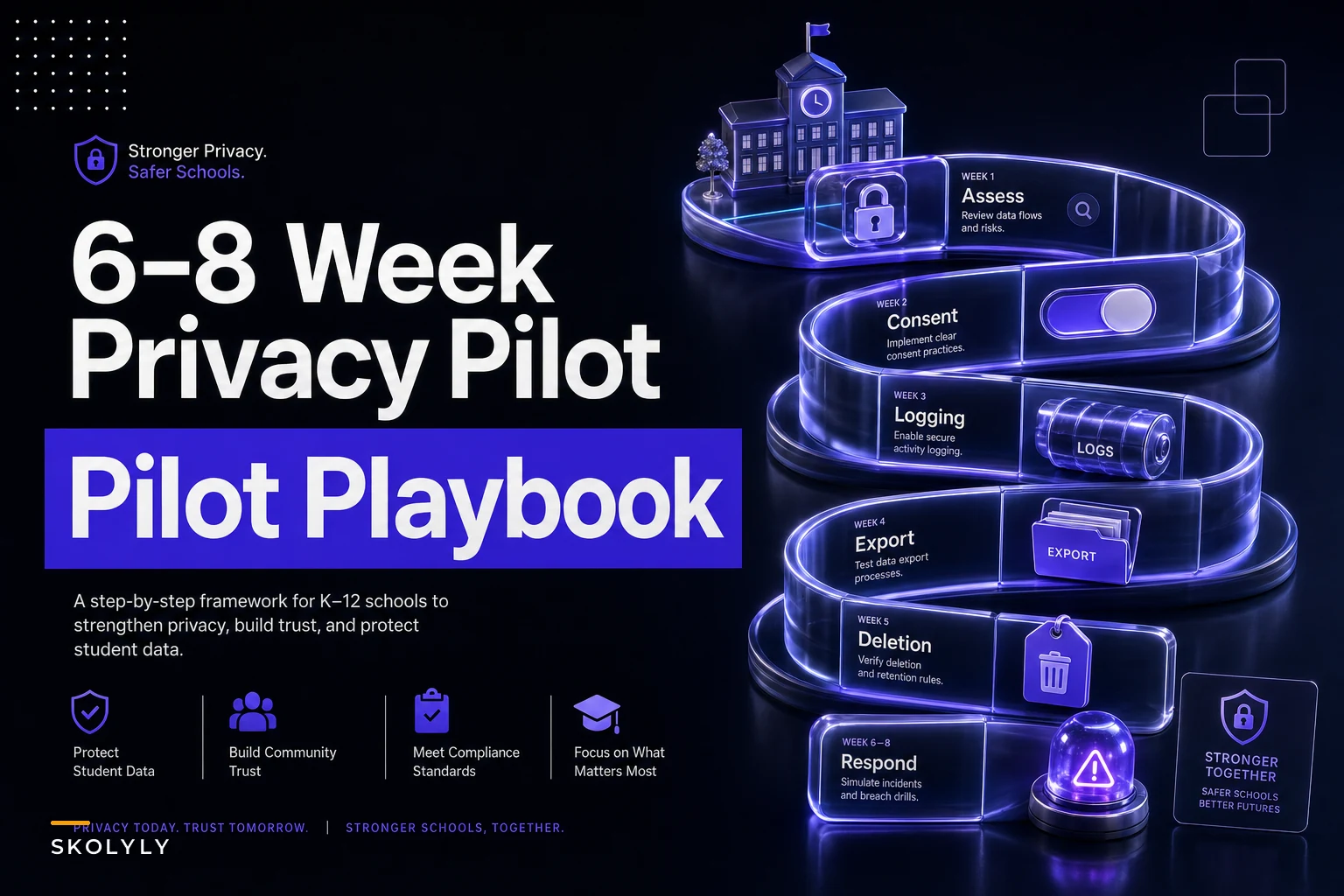

Most privacy evaluations fail quietly. A vendor fills out a questionnaire, checks every box, attaches a SOC 2 cover page, and the district moves forward. Then eighteen months later someone requests a data deletion for a transferred student and discovers the "deletion" only soft-flags the record in one of four databases the vendor runs.
The problem isn't that districts don't ask the right questions. It's that they accept written answers instead of testing behavior. A pilot is your one window to watch the platform actually handle real data under real conditions before you've signed a multi-year agreement and migrated 40,000 student records into it.
This guide gives you the operational machinery for that window: a weighted scoring rubric with 0–5 descriptors, a week-by-week test plan, the evidence you need to collect along the way, sample test scripts you can hand to your team, and clear pass/remediation thresholds. It's built to sit alongside your existing retention and consent work — if you haven't locked those down yet, the K-12 student data privacy playbook on retention, consent, and vendor checklists is the companion piece. This one assumes you already know what you need and now have to verify a specific product does it.
Why written vendor answers keep failing you
There's a pattern that shows up repeatedly in procurement post-mortems. The vendor's security questionnaire said "data is deleted upon request within 30 days." Technically true — the production record gets purged. What the questionnaire didn't mention: deleted records persist in nightly backups for 90 days, in a data warehouse feeding their "anonymized" analytics product indefinitely, and in support-ticket attachments that nobody classifies as student data.
None of that is lying, exactly. It's the gap between what a form captures and what a system actually does. A questionnaire measures the vendor's intentions and documentation. A pilot measures their behavior. Those are different things, and the difference is where districts get burned.
The other recurring failure: evaluations that only test the happy path. Someone confirms that a FERPA-compliant export works when an admin clicks the button. Nobody tests what happens when a teacher who left the district still has an active session, or whether a parent's consent withdrawal actually stops the data flow to a third-party integration the vendor quietly added last quarter.
A privacy-centred pilot is designed to surface exactly these gaps while you still have leverage — before the contract, before the data migration, before the political cost of switching vendors becomes a reason to ignore problems.
The weighted scoring rubric
Weight the criteria before you start testing. If you weight after you see results, you'll unconsciously reward the vendor you already like. Lock the weights in writing and get your privacy officer, IT lead, and a curriculum representative to sign off.
Keep every student on track with ease.
Skolyly helps you create, assign, and monitor classroom activities efficiently.
- Integrated lesson and assignment management
- Real-time student progress tracking
- Automated class scheduling & notifications
No credit card required
Here's the rubric structure. Adjust weights to your district's risk profile, but the total should sum to 100.
| Criterion | Weight | 0 (Fail) | 3 (Adequate) | 5 (Strong) |
|---|---|---|---|---|
| Data deletion & verification | 20 | Deletion is a soft flag; no proof of removal from backups/warehouses | Hard deletes from production within SLA; backup handling documented | Verifiable deletion across all stores with a signed certificate and timestamps |
| Data export & portability | 12 | Export is partial, broken, or vendor-mediated only | Self-service export of core records in open format | Complete export incl. metadata, logs, and derived data in documented schema |
| Consent flows & withdrawal | 15 | Consent is assumed; no withdrawal mechanism | Granular consent captured; withdrawal stops primary processing | Withdrawal cascades to all integrations and sub-processors, provably |
| Access controls & role scoping | 15 | Flat permissions; everyone sees everything | Role-based access with least-privilege defaults | Field-level scoping, enforced session expiry, offboarding automation |
| Audit logging & access transparency | 15 | No usable logs or logs the district can't access | Immutable logs for key events, district-retrievable | Full log export, tamper-evidence, who-saw-what for any student record |
| Sub-processor & data-flow disclosure | 10 | Sub-processors undisclosed or change silently | Current list provided; notification on change | Live data-flow map with contractual change-notice guarantees |
| Breach detection & response | 8 | No defined process; vendor-controlled timeline | Documented plan, defined notification SLA | Tested plan, district notification ≤72h, joint tabletop completed |
| Data residency & retention enforcement | 5 | Retention is manual or aspirational | Automated retention rules, documented residency | Enforced per-record retention with purge logs and residency attestations |
Score each criterion on the 0–5 scale, multiply by the weight, and normalize to 100. The descriptors at 0, 3, and 5 are anchors — your team scores 1, 2, and 4 by interpolating, which is fine as long as you write a one-line justification tied to evidence you collected, not a gut feeling.
Deletion and logging carry the most weight for a reason. Those are the two areas where vendors most often overstate capability and where the district carries the most downstream liability. A platform with mediocre export functionality can still be workable. A platform that can't prove deletion is a liability you inherit permanently.
The week-by-week test plan
Six to eight weeks is enough time to test behavior under realistic conditions without dragging the pilot into a mini-implementation. Sequence it so each week produces evidence rather than impressions.
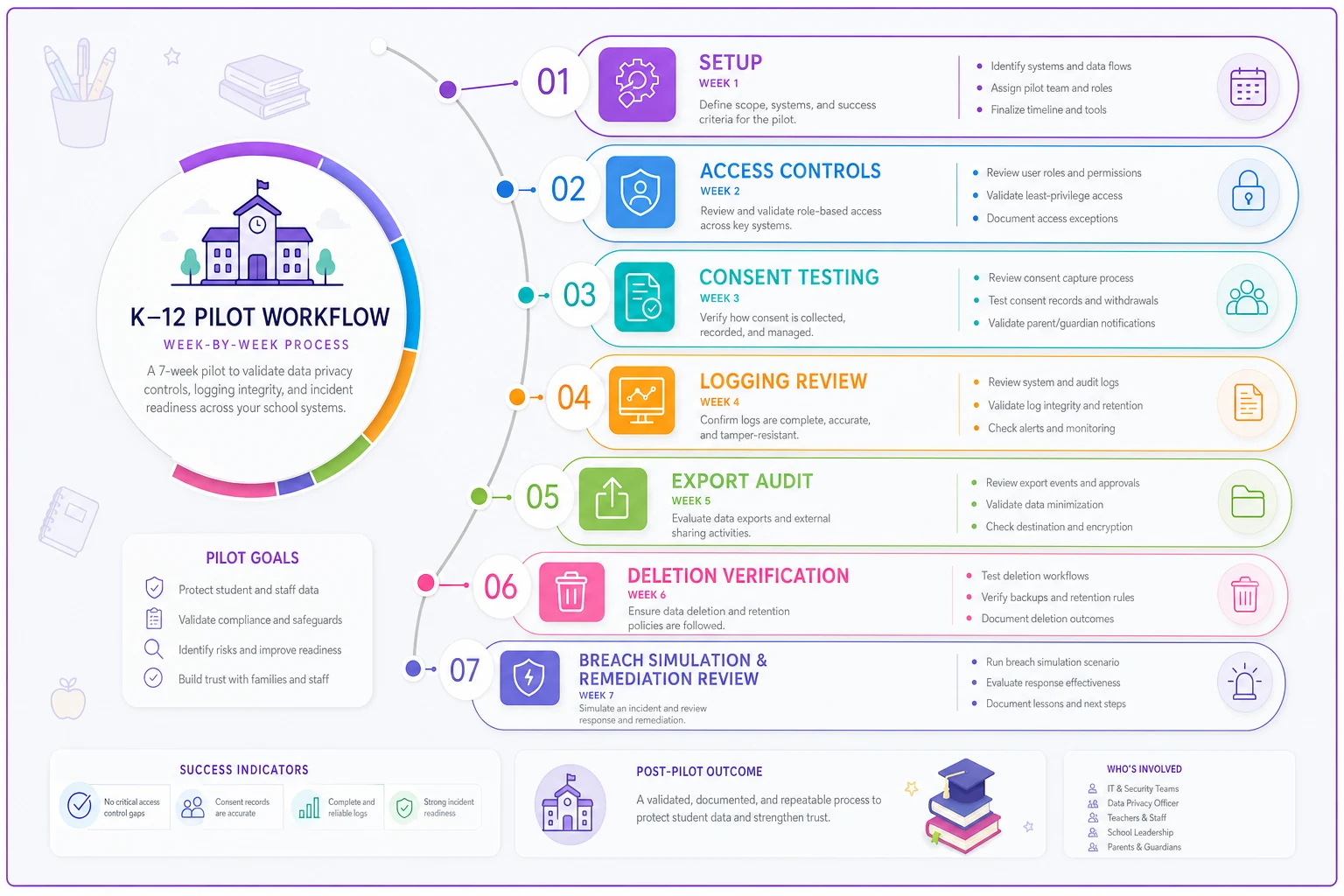
The diagram above shows the sequence of weekly phases and the expected evidence to collect at each stage.
Week 1 — Setup and baseline
Provision a sandbox or isolated pilot tenant. Load it with synthetic but realistic student data — real field structures, fake names. Never pilot with live student PII; if the vendor insists live data is required to test properly, that's a finding in itself.
Document the baseline: how many data stores exist, what the default roles are, which integrations are enabled out of the box. You can't verify deletion later if you don't know where data lives now.
Week 2 — Access controls and role scoping
Create test accounts for every role your district uses: district admin, school admin, teacher, counselor, substitute, parent, student. Then try to break the boundaries. Can a substitute see behavior records? Can a teacher in one building query students in another? Can a parent see another family's data by manipulating a record ID in the URL?
The URL-manipulation test catches more problems than almost anything else. A surprising number of platforms enforce access in the interface but not in the underlying API.
Week 3 — Consent flows and withdrawal
Run consent capture end to end. Then withdraw consent and verify what stops. The critical test here is the cascade: if a parent withdraws consent for a third-party reading-analytics integration, does data actually stop flowing to that vendor, or just stop showing in the UI?
Week 4 — Logging and access transparency
Generate activity across all your test accounts, then request the logs. Can you answer "which staff members viewed student #4471's record in the last 30 days" without emailing vendor support? Can you export logs in a format your SIEM can ingest? Are the logs immutable, or can an admin edit them?
Week 5 — Data export and portability
Run a full export. Then audit what's missing. Exports routinely omit derived data (risk scores, analytics outputs), metadata, and historical versions. A real portability test asks: if you leave this vendor tomorrow, do you get everything in a format you can actually use?
Week 6 — Deletion and verification
This is the hardest week and the most important. Issue deletion requests for specific test records, then hunt for the data. Check backups, warehouses, support attachments, cached integration data. Demand a deletion certificate with timestamps. If the vendor can't tell you when and from where a record was purged, score it low regardless of what the UI shows.
Weeks 7–8 — Breach simulation and remediation review
Run a tabletop breach exercise with the vendor's response team. Then revisit any findings from earlier weeks and verify remediation. These two weeks are also your buffer — real pilots slip, and you want deletion verification done properly rather than rushed.
Evidence collection checklist
Scores without evidence are opinions.
For every criterion, your file should contain something a third party could actually inspect. Collect as you go, not at the end — reconstructing evidence from memory is where pilot credibility dies.
-
- [ ] Screenshots or recordings of each failed and successful boundary test, timestamped
-
- [ ] The raw export file(s), with a schema document the vendor provided or you reverse-engineered
-
- [ ] Deletion certificate(s) listing record IDs, stores purged, and timestamps
-
- [ ] Exported audit logs in machine-readable format
-
- [ ] Written sub-processor list dated to the pilot period
-
- [ ] Data-flow diagram showing where student data moves, confirmed with vendor
-
- [ ] Consent/withdrawal test results showing downstream effect, not just UI state
-
- [ ] Breach tabletop notes
timeline, who did what, where response broke down
-
- [ ] Vendor email responses to each finding (response speed is itself a signal)
-
- [ ] A one-line scoring justification per criterion, linked to specific evidence items
Collect as you go, not at the end — reconstructing evidence from memory is where pilot credibility dies.
Sample test scripts
Hand these to whoever runs the pilot so testing is consistent across accounts and weeks. Keep each script short enough that a non-specialist can execute it.
Data export script
-
Log in as district admin.
-
Export all records for test school "Maple Pilot" in the standard export flow.
-
Record
time to generate, file format, file size.
-
Open the file and verify presence of
core demographics, enrollment history, behavior/discipline records, assessment data, teacher comments, and any derived scores.
-
Note every field category that is missing or truncated.
Deletion script
-
Record the full data footprint of test student #TEST-0012 across every known store.
-
Submit a deletion request through the documented process.
-
Wait the vendor's stated SLA, then attempt to retrieve the record via UI, API, export, and reporting.
-
Request a deletion certificate.
-
Ask specifically
is this record present in any backup, and what is its purge date?
Consent withdrawal script
-
As a parent account, grant consent for a named third-party integration.
-
Confirm data is flowing (check the integration's view or vendor confirmation).
-
Withdraw consent.
-
Within 24 hours, verify whether data still reaches the integration.
-
Document the gap between UI state and actual data flow.
Logging script
-
Have three test accounts each view student #TEST-0045.
-
As district admin, retrieve the access log for that student.
-
Verify all three views appear, with correct user, timestamp, and action.
-
Attempt to edit or delete a log entry as an admin — it should fail.
-
Export the logs and confirm your SIEM can parse them.
Breach simulation script
-
Scenario
a teacher account is compromised and used to export a class roster at 2 a.m.
-
Ask the vendor
how and when would you detect this?
-
Walk the response timeline
detection → containment → district notification.
-
Record the point at which you would be told, and compare to your contractual requirement.
-
Note any step that relies on manual vendor action with no SLA attached.
Keep each script short enough that a non-specialist can execute it.
Pass and remediation thresholds
Set these before scoring so the decision is mechanical, not political.
-
- Overall normalized score ≥ 80 and no individual criterion below 3 Pass. Proceed to contract, fold any minor findings into contract language.
-
- Score 65–79, or one or two criteria at 2 Conditional. Vendor gets a defined remediation window (usually 30–45 days) to fix specific findings, retested before signature.
-
- Any single criterion at 0 or 1 on deletion, logging, or consent Hard stop regardless of overall score. These are the criteria you can't remediate contractually around.
-
- Score below 65 Fail. Don't negotiate a longer remediation period — a platform this far off at pilot is signaling an architecture problem, not a feature gap.
The hard-stop rule matters more than the overall number. A vendor can score 84 overall and still be unacceptable if their deletion is a soft flag. Weighted averages hide exactly the failures that hurt you most, which is why the floor on specific criteria overrides the total.
A realistic pilot in practice
A mid-sized district — roughly 9,000 students across eleven buildings — ran this framework on two finalist reading platforms before a district-wide rollout. Both had passed the standard security questionnaire. Both had SOC 2 reports.
Vendor A scored around 88. Clean deletion with certificates, SIEM-ready logs, consent withdrawal that provably cut off their analytics sub-processor within hours. Vendor B scored about 61 and triggered a hard stop on deletion. Their "deletion" removed records from the teacher-facing UI but retained them in a data warehouse feeding a product-improvement model — something the questionnaire never surfaced and that only appeared when the team hunted for test student #TEST-0012 in week 6. Vendor B had actually scored higher on usability and teacher-facing features, which is exactly why the district had been leaning toward them going in.
The pilot cost maybe three weeks of combined staff time spread across the privacy officer, an IT analyst, and a curriculum lead. Against a multi-year contract covering 9,000 students' data, that's not an expense — it's the cheapest insurance available. The alternative would have been discovering the warehouse retention after migration, when the only remedies are a painful rip-and-replace or living with a liability you can't unwind.
When this depth of pilot makes sense — and when it doesn't
Run the full framework when the platform will hold a broad, sensitive data set — behavior records, SEL data, health flags, anything beyond basic rostering — and when you're committing across multiple buildings or years. The higher the data sensitivity and the switching cost, the more the testing pays off.
Scale it down for low-stakes, single-classroom tools that touch minimal PII and roster through your existing SSO. For those, a focused two-week check on export, deletion, and logging is usually proportional. Don't burn six weeks piloting a flashcard app.
Where this genuinely goes wrong: using it as a stalling tactic. If your team doesn't have the capacity to execute the scripts and collect evidence properly, a half-run pilot is worse than none — it produces a paper trail that looks like due diligence while missing the behaviors that matter. Better to run a tight, honest two-week slice than a sloppy eight-week one.
For very small districts without dedicated privacy staff: you can still run this, but prioritize the three hard-stop criteria — deletion, logging, consent — and accept lighter coverage elsewhere. A pilot that definitively answers "can this vendor actually delete our students' data and prove it" is worth far more than a comprehensive-looking rubric nobody had time to back with evidence.
The entire value of a pilot is that it converts vendor claims into observed behavior while you still hold the leverage. Weights set in advance, scripts your team can actually run, evidence collected as you go, and thresholds that let specific failures override a flattering average — that's what separates a real evaluation from a questionnaire with extra steps.
Build the file as if you'll have to defend the decision to a board, a parent, or a regulator eighteen months from now. On the platforms that matter, you eventually will.
Ready to elevate your classroom management?
Join 5,000+ educators using Skolyly to save time, engage students, and improve learning outcomes.