

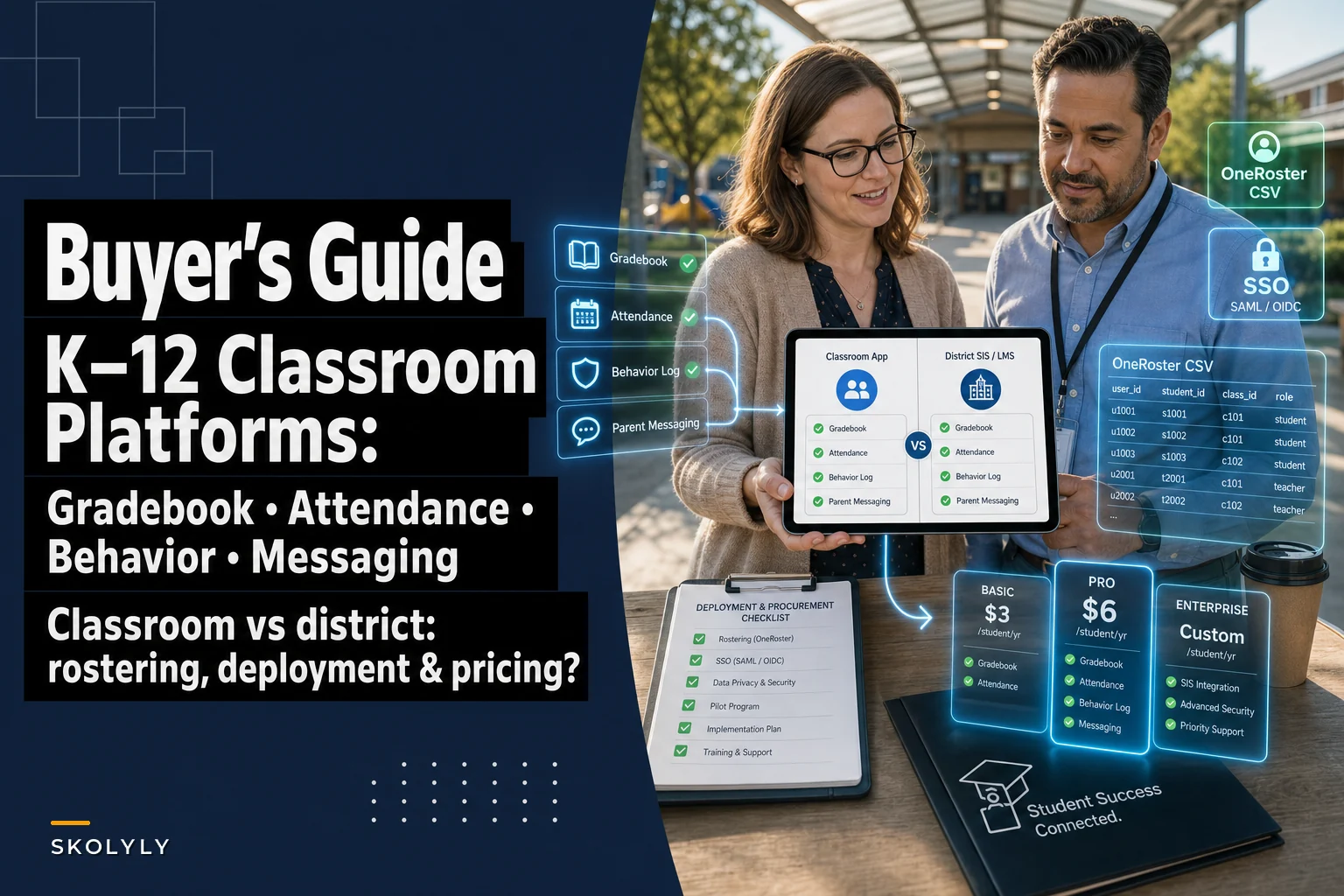

The hardest part of buying a classroom-management platform isn't picking the "best" one. It's figuring out which category you're actually shopping in. A third-grade teacher who wants to log behavior in five minutes and ping a parent that afternoon is solving a completely different problem than a district data director trying to roster 14,000 students across an SIS, an LMS, and three apps that half the buildings already bought independently.
Those two buyers end up in the same vendor demos, hear the same feature checklists, and then wonder six months later why the tool "doesn't do what we needed." So this guide splits the market the way it actually behaves: lightweight classroom apps on one side, system-of-record SIS/LMS platforms on the other, and the awkward middle where behavior logging and parent messaging live.
If you're specifically trying to protect the daily five-minute behavior-logging habit teachers will actually keep, that micro-workflow is covered in detail in this post on five-minute behavior logs elementary teachers can use daily.
This guide is about which platform that log should live in, and what breaks when you pick the wrong one.
The two product categories buyers keep confusing
Almost every disappointing purchase traces back to one mismatch: a classroom app bought as if it were a system of record, or a system of record bought as if it were a classroom app.
Classroom apps (ClassDojo, Seesaw, Bloomz) are built around the teacher-parent relationship. They do photos, messages, portfolios, and point-style behavior tracking well. What they don't do is serve as the official record for grades, attendance, or incident data that a counselor, principal, or state report will ever rely on. The behavior "points" in ClassDojo are great for classroom culture but are not the behavior incident log an administrator needs for an MTSS referral.
SIS/LMS platforms (PowerSchool, Infinite Campus, Skyward, Alma, Follett Aspen, Canvas) are the official record. Attendance filed here goes to the state. Grades here print on the report card. Behavior incidents here feed discipline reporting. But the parent-facing experience is often clunky, and behavior logging ranges from "robust discipline module" to "an afterthought nobody uses."
The pattern worth internalizing: messaging and behavior logging are the two features that exist in both categories, implemented very differently. That's exactly why buyers get confused. Every demo shows a "behavior log" and a "parent message," so the tools look interchangeable. They aren't.
Feature-by-platform breakdown
The table below maps the four features you're evaluating against common products. "Native" means it's a real, first-class feature. "Light" means it technically exists but you'll outgrow it fast. "No" means don't count on it.
Keep every student on track with ease.
Skolyly helps you create, assign, and monitor classroom activities efficiently.
- Integrated lesson and assignment management
- Real-time student progress tracking
- Automated class scheduling & notifications
No credit card required
| Platform | Category | Gradebook | Attendance | Behavior incident logging | Parent messaging |
|---|---|---|---|---|---|
| ClassDojo | Classroom app | No | No | Light (points/notes) | Native |
| Seesaw | Classroom app | No (portfolio) | No | No | Native |
| Bloomz | Classroom app | Light | Light | Light | Native |
| Otus | Classroom/data hybrid | Native | Light | Native | Native |
| PowerSchool SIS | SIS | Native | Native | Native (discipline) | Native (portal) |
| Infinite Campus | SIS | Native | Native | Native (behavior) | Native (portal/app) |
| Skyward | SIS | Native | Native | Native (discipline) | Native (Family Access) |
| Alma | SIS | Native | Native | Native | Native |
| Follett Aspen | SIS | Native | Native | Native (conduct) | Native (portal) |
| Canvas | LMS | Native | Light | No | Light (Inbox/announcements) |
A few things worth pulling out of that grid:
-
Canvas is an LMS, not an SIS. It grades assignments well and has a passable message inbox, but it's not where you log attendance for the state or file a behavior incident. Districts that bought Canvas assuming it replaced their SIS learned this the expensive way.
-
Seesaw has no gradebook. It's a portfolio and family-engagement tool. Elementary teams love it for exactly that and shouldn't expect more.
-
Otus is the genuine hybrid — it tries to combine data warehousing, assessment, gradebook, and behavior in one place, which makes it appealing for small-to-mid districts that don't want five separate tools. The tradeoff is it's a bigger commitment than a classroom app and a different buying process than an SIS swap.
The SIS behavior modules are real but underused. Infinite Campus and PowerSchool both have solid discipline/behavior modules. The problem is rarely capability — it's that the teacher-facing entry screen takes 40 seconds and six clicks, so teachers quietly stop logging.
That last point is what actually determines success in the field. A behavior module nobody fills in is worth nothing, no matter how clean the reporting looks in the demo.
Why the "behavior log everywhere" problem happens
In real deployments, you'll find the same behavior data scattered across three places: sticky notes and a teacher spreadsheet, point totals in ClassDojo, and a nearly-empty discipline module in the SIS. Each captures a slice. None is complete.
This happens because the tools were adopted at different times by different people. The classroom app came from a teacher who wanted parent messaging. The SIS came from the district. Nobody ever decided, on purpose, where the official behavior record lives. So it lives nowhere — which means when a Tier 2 referral needs documentation, the counselor is reconstructing a month of incidents from memory.
The fix isn't technical. It's a one-sentence policy decision: the system of record for behavior incidents is X, and the classroom app handles Y. Usually that means incidents — anything that could escalate, feed a referral, or appear in a report — go in the SIS, while the classroom app handles routine positive/negative notes and parent communication. Write it down. Train to it.
The decision checklist
Work through these before you sit in a single vendor demo. Answer them for your actual role, because teacher answers and administrator answers diverge fast.
For teachers choosing a class-level tool:
-
Can I log a behavior note in under 15 seconds, on my phone, mid-lesson?
-
Does a logged note optionally trigger a parent message, or are those two separate chores?
-
Can parents reply, and does the reply land somewhere I'll actually see it?
-
Does anything I enter here flow into the official record, or will I re-enter it later?
-
Does it handle translation for families who don't speak English?
For administrators choosing a district system:
-
Is this the system of record for state attendance and discipline reporting?
-
Does it support OneRoster rostering and SSO (Google, Clever, ClassLink)?
-
Who owns the data, where is it stored, and what's the deletion/retention policy?
-
Can teacher-entered behavior data roll up into MTSS/discipline dashboards without manual export?
-
Will teachers actually use the behavior entry screen, or will adoption die by October?
The single most predictive question on either list is the adoption one. A platform that's 80% as capable but gets 90% teacher usage beats a platform that's fully featured and used by a third of staff.
District-scale deployment: where the real cost lives
The license fee is rarely the expensive part. The expensive part is rostering, identity, and training. Here's what actually eats the timeline:
Rostering. If your platform speaks OneRoster, you can sync students, teachers, sections, and enrollments from the SIS automatically. If it doesn't, someone is maintaining CSV uploads — which quietly becomes a part-time job and a steady source of "my class list is wrong" tickets every September.
SSO. Single sign-on through Clever, ClassLink, or Google isn't a nice-to-have at district scale. It's the difference between teachers logging in and teachers giving up. A behavior log behind a separate password gets used less, full stop.
Data governance. Decide up front what's stored, for how long, who can see behavior records, and how you'll handle deletion requests. Behavior data is sensitive. A tidy vendor contract that names data ownership and retention saves a painful conversation later.
Pilots. Never district-wide on day one. Pick two or three buildings, run 6–8 weeks, and measure actual teacher usage — not just satisfaction surveys. A pilot where behavior-log entries drop off after week three is telling you something the sales deck won't.
Training. Budget for it honestly. The common failure is spending the whole rollout on how to grade in the new system and zero time on how to log a behavior incident in a way that feeds MTSS. Teachers then default to sticky notes.
Recommended sequencing for a district deployment:
-
Decide your system of record for each data type (grades, attendance, behavior, messaging) — on paper, before you buy.
-
Confirm OneRoster + SSO compatibility with your current identity provider.
-
Run a 6–8 week pilot in a few buildings with real usage metrics.
-
Train specifically on the workflows teachers do daily, behavior logging included.
-
Expand building by building, fixing rostering edge cases as you find them.
-
Set a 90-day check to measure adoption, not just rollout completion.
Pilot in buildings with reliable tech leads so your adoption metrics reflect realistic classroom conditions.
Here's a simple visual of the recommended sequencing.
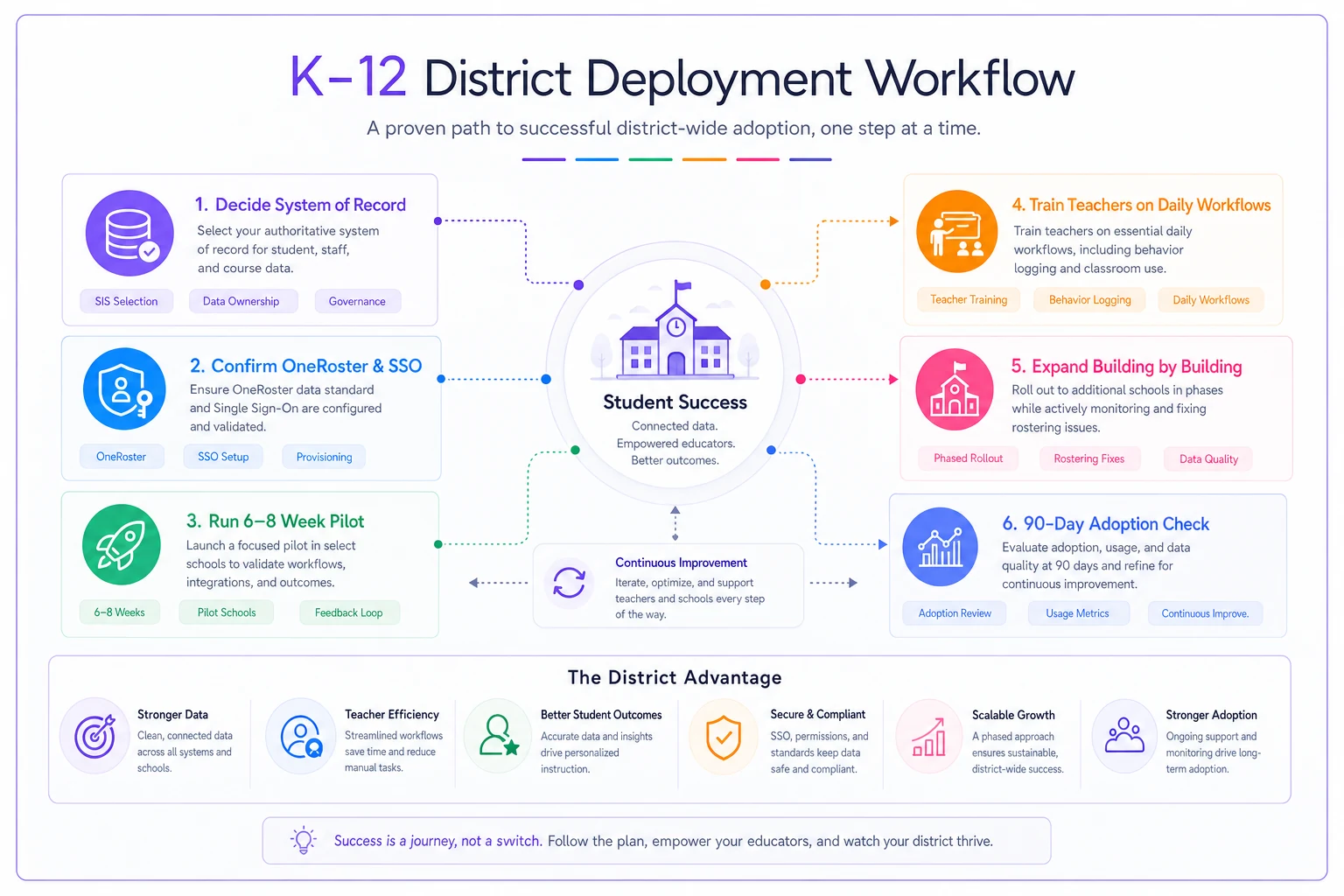
Run pilot metrics that focus on daily teacher usage, not just overall satisfaction, and use those findings to iterate before full expansion.
Pricing models and ballpark ranges
Pricing in this space is messy because the categories price differently. Treat these as rough planning numbers, not quotes — every vendor negotiates, and enrollment size swings everything.
-
Classroom apps (ClassDojo, Seesaw, Bloomz) Free tiers exist and are genuinely usable. School/district plans for premium features run roughly $1,000–$5,000 per building per year, sometimes priced per student in the low single digits.
-
Hybrid data platforms (Otus) Typically per-student, often somewhere in the $5–$15 per student per year range depending on modules and district size.
-
SIS (PowerSchool, Infinite Campus, Skyward, Aspen, Alma) These are bigger contracts, usually per-student annually, commonly in the $8–$20+ per student per year range, plus implementation and sometimes hosting fees. Alma tends to position toward smaller districts; the legacy players scale to the largest.
-
LMS (Canvas) Per-student annual licensing plus implementation, frequently in a similar range to SIS pricing depending on tier and services.
The number that surprises people is implementation. A new SIS can carry a one-time implementation and data-migration cost that rivals the first year's license. Budget for it, and ask vendors to itemize it rather than bundle it.
When each category actually makes sense
A classroom app makes sense when your core problem is teacher-to-parent communication and lightweight behavior notes, your SIS is already handling the official records, and you want something teachers can adopt in one afternoon. Elementary buildings are the sweet spot.
An SIS/LMS investment makes sense when you're consolidating official records, feeding state reporting, and need behavior data that rolls into discipline and MTSS analytics. This is a district decision with a multi-year horizon.
A hybrid like Otus makes sense when you're a small-to-mid district tired of stitching four tools together and willing to invest in a single data layer — but you have the capacity to manage a real implementation.
Who should NOT do this: a single building shouldn't go buy its own SIS, and a district shouldn't try to make ClassDojo its behavior system of record. The mismatch cases are where the regret lives.
A real scenario
A K–5 building of around 420 students had ClassDojo running in most classrooms for parent messaging, plus Infinite Campus as the district SIS. Behavior was tracked in three disconnected places, and the counselor was spending a chunk of every Friday reconstructing incident histories for intervention meetings.
They didn't buy anything new. They made a decision: routine notes and parent messages stay in ClassDojo; anything that could become a referral gets a 20-second entry in the Infinite Campus behavior module. They trained the exact entry path in one 30-minute staff meeting and put a laminated two-step card by each classroom door.
Within about two months, roughly 70–80% of referral-worthy incidents were landing in the SIS the same day they happened. The counselor's Friday reconstruction work dropped from a couple of hours to maybe twenty minutes. No new license, no migration — just a clear rule about where each kind of record lives.
A CSV / OneRoster field-mapping cheat sheet
Before paying for an integration, you can often test a roster sync with a plain CSV and the OneRoster field names. This lets you confirm the data lines up without engineering time. The common mappings:
| Your SIS column | OneRoster field | Notes |
|---|---|---|
| Student ID | sourcedId | Must be stable and unique |
| First name | givenName | |
| Last name | familyName | |
| Grade | grades | OneRoster uses specific grade codes (e.g., KG, 01) |
| Student email | email | Needed for SSO matching |
| Class/section ID | classSourcedId | Links enrollment to a section |
| Teacher ID | userSourcedId | On the teacher enrollment row |
| Role | role | student or teacher |
| School ID | orgSourcedId | Ties the record to a building |
A quick way to pressure-test a vendor: export a sample roster from your SIS, map it to these fields in a spreadsheet, and hand it to the vendor for a test import. If their system chokes on your grade codes or can't match sourcedIds, you've found a real integration problem during evaluation rather than during go-live week.
Bringing it together
The platforms in this guide aren't really competing so much as solving different problems that happen to overlap on two features. ClassDojo and Seesaw will keep winning the classroom-communication job. PowerSchool, Infinite Campus, Skyward, Aspen, and Alma will keep owning the official record. Canvas owns coursework. Otus bids to blend the data layers.
Purchases go wrong when you skip the one decision that matters most: naming, in advance, where each type of data officially lives — and especially where a behavior incident belongs. Get that right, confirm rostering and SSO actually work for your identity setup, pilot before you scale, and treat implementation and training as real line items rather than afterthoughts. Do that, and the feature checklist mostly takes care of itself.
The platforms in this guide aren't really competing so much as solving different problems that happen to overlap on two features. ClassDojo and Seesaw will keep winning the classroom-communication job. PowerSchool, Infinite Campus, Skyward, Aspen, and Alma will keep owning the official record. Canvas owns coursework. Otus bids to blend the data layers.
Purchases go wrong when you skip the one decision that matters most: naming, in advance, where each type of data officially lives — and especially where a behavior incident belongs. Get that right, confirm rostering and SSO actually work for your identity setup, pilot before you scale, and treat implementation and training as real line items rather than afterthoughts. Do that, and the feature checklist mostly takes care of itself.
Ready to elevate your classroom management?
Join 5,000+ educators using Skolyly to save time, engage students, and improve learning outcomes.